Introduction
I quite like tiny computers, I don’t mean mini-PCs. I don’t mean Rasberry Pis or Arduinos; I like devices with keyboards, screens, networking and removable storage―but tiny.
So when several years ago I found out about the M5Stack’s Faces Kit, I bought one. I’ve messed around with it some since, poked at making it into a fancy calculator, prodded at making it into a bad IPod Shuffle, but mostly didn’t do anything with it.
Then I heard about M5Stack’s Cardputer, and I bought one of those too.
I can use much of the same software from the Faces (which is just a M5Stack Core “Gray” with a keyboard and battery), but mostly they sit around unutilized.
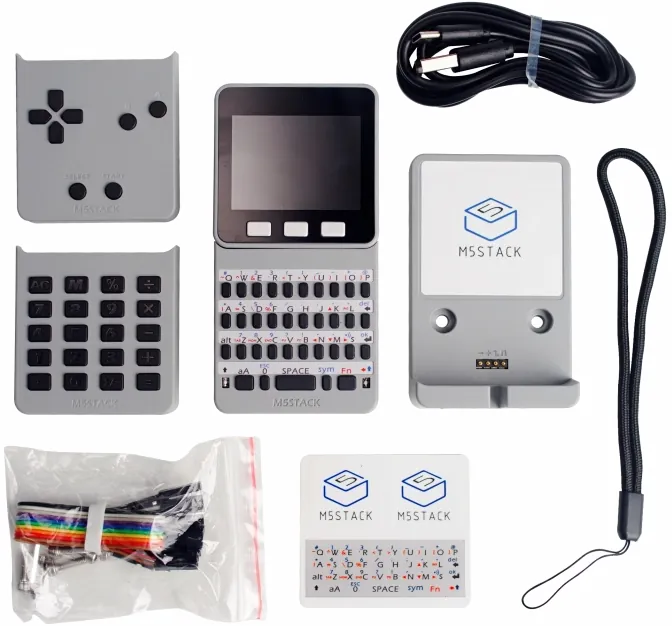
Faces kit from M5Stack
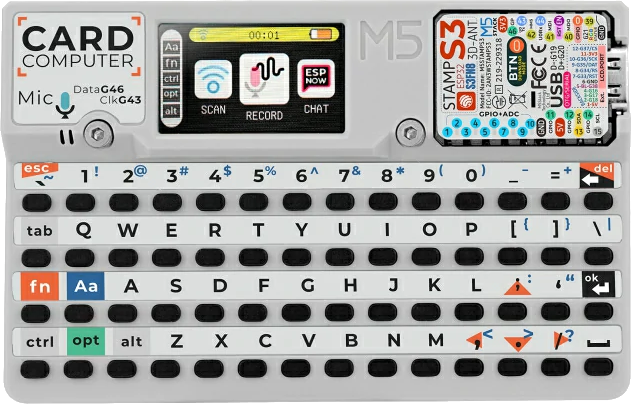
Cardputer from M5Stack
But, then, I had an idea―an awful, terrible, awesome, terrific idea. The specifics don’t matter too much for now, but I want(ed? I hope not) to be able to display some status information and maybe a few buttons using the Faces and it’s handy little wall mount. M5Stack provides M5GFX a graphics library based on LovyanGFX, this would make displaying easy enough, but the actual UI part would still have to be made.
That seems a lot like work, but surely there’s an existing GUI library for an ESP32? Why, yes ImDuino is a port/packaging of DearImGui for the ESP32, and I’ve used DearImGui quite a bit.
ImDuino
ImDuino takes an older version of Dear ImGui (v1.85) and adds software rastering to a framebuffer. It exposes some colors, their corresponding textures, some functions, and hides a whole lot of math.
| Color | Descrition |
|---|---|
Alpha8_t | 8bpp Alpha-only (primarily used for fonts) |
Value8_t | 8bpp Grayscale |
Color16_t | 16bpp RGB565 |
Color16Alpha8_t | 24bpp RGBA5658 |
Color24_t | 24bpp RGB888 |
Color32_t | 32bpp RGBA8888 |
template<typename Color>
struct texture_t<T> : public texture_base_t;

bool ImGui_ImplSoftraster_Init(texture_base_t *screen);
void ImGui_ImplSoftraster_Shutdown();
void ImGui_ImplSoftraster_RenderDrawData(ImDrawData* draw_data);
You have to create a texture_t with the appropriate color for your framebuffer, and pass it into the
ImGui_ImplSoftraster_Init method.
The method ImGui_ImplSoftraster_NewFrame() should get called before the call to ImGui::NewFrame().
After ImGui::Render() is called, the frame is then rasterized with a call to ImGui_ImplSoftraster_RenderDrawData(ImGui::GetDrawData());.
There are two additional methods that have to be written for each target platform
void screen_init();
void screen_draw();
The intialization method screen_init is called at the end of the setup() and needs to perform any device-specific display and framebuffer initialization.
At the end of each run loop screen_draw() is called, this should send the frame buffer to the display.
Support for M5Unified
Easy-peasy, how hard could this be?
For once that wasn’t actually foreshadowing, just getting it running on an M5Stack device is not too hard.
We’re going to be using the M5Unified library since it’s aware of all the M5Stack devices’ configurations, so I won’t have to mess around with figuring out SPI/i2c
pins and addresses. M5Unified uses M5GFX for its display interface, and M5GFX is an extension of LovyanGFX. There will be a fair amount of overlap in the softraster and the graphics library (duplication of color and texture types at least), but that’s a problem opportunity for later.
We just need a framebuffer, and we’ll match our display’s bpp (Now this is foreshadowing).
texture_color16_t screen;
Then some intitialization.
void screen_init()
{
   M5.begin();
   screen.init(M5.Display.width(), M5.Display.height());
   assert(screen.pixels != nullptr); // we'll come back to this...
}
Add a push to the display.
void screen_draw()
{
   M5.Display.pushImage(0, 0, M5.Display.width(), M5.Display.height(), (uint8_t*)screen.pixels, lgfx::rgb565_2Byte);
}
And we should be good to go!
Now it’s important to note that I was using the M5Core for this which has a 320x240 display. Another important detail is that the M5Core’s heap is only 375kB, with the largest free block (at time of screen_init) of ~100kB. A little math here (or that suspicious assert) could have saved a lot of time, as that’s a 150KB framebuffer.
I will admit that even after adding the assert to verify the framebuffer actually existed it took quite a while for me to realize that I was running out of memory.
At this point I figured I’d drop back to 8-bit color. I don’t need High Color anyway. Or at least, that’s what I’d like have done, see that table above? Yeah, LAK123 didn’t implement 8bpp color; I don’t blame her, the example screens she had don’t need it.
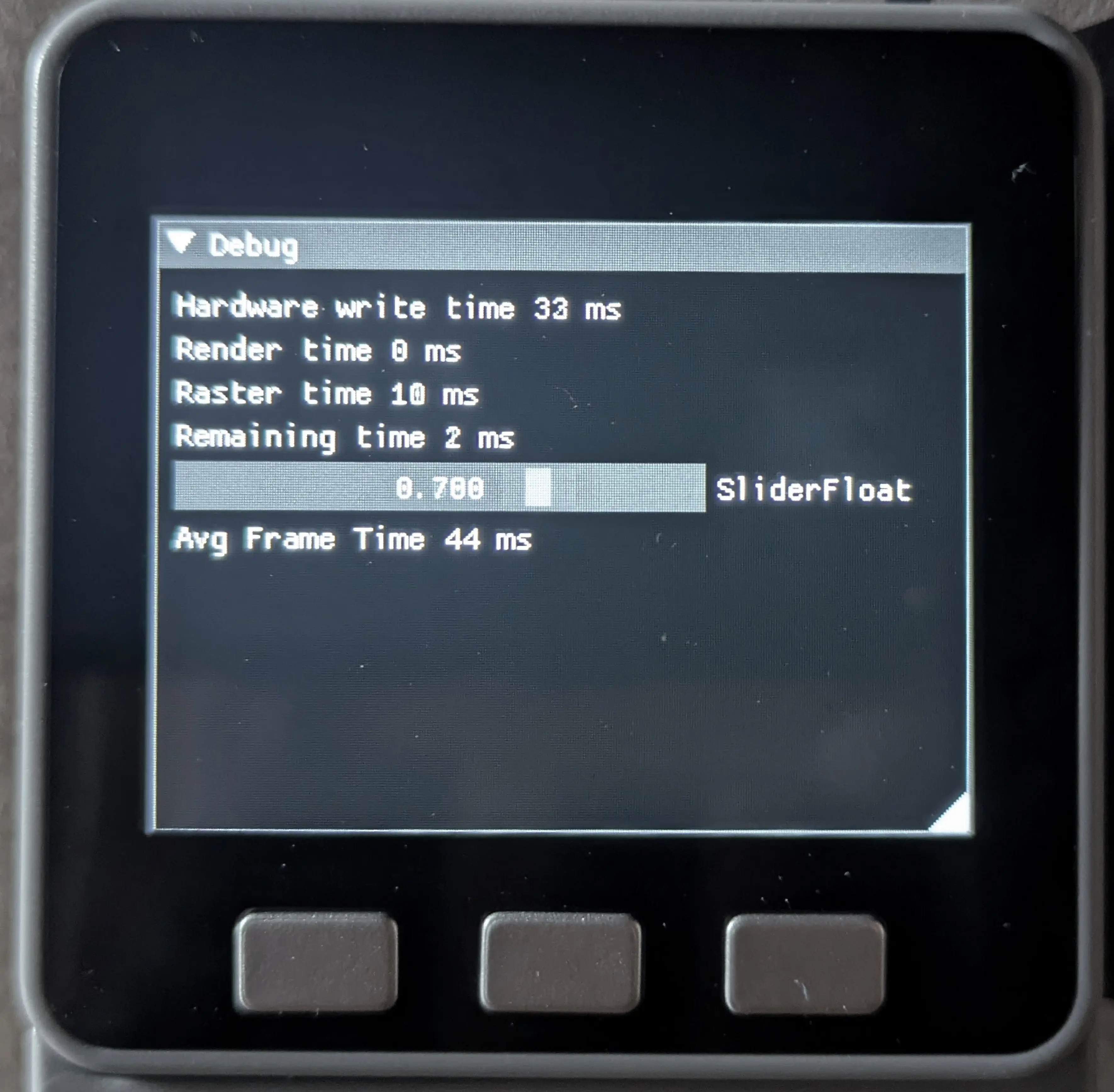
Grayscale on the M5Core
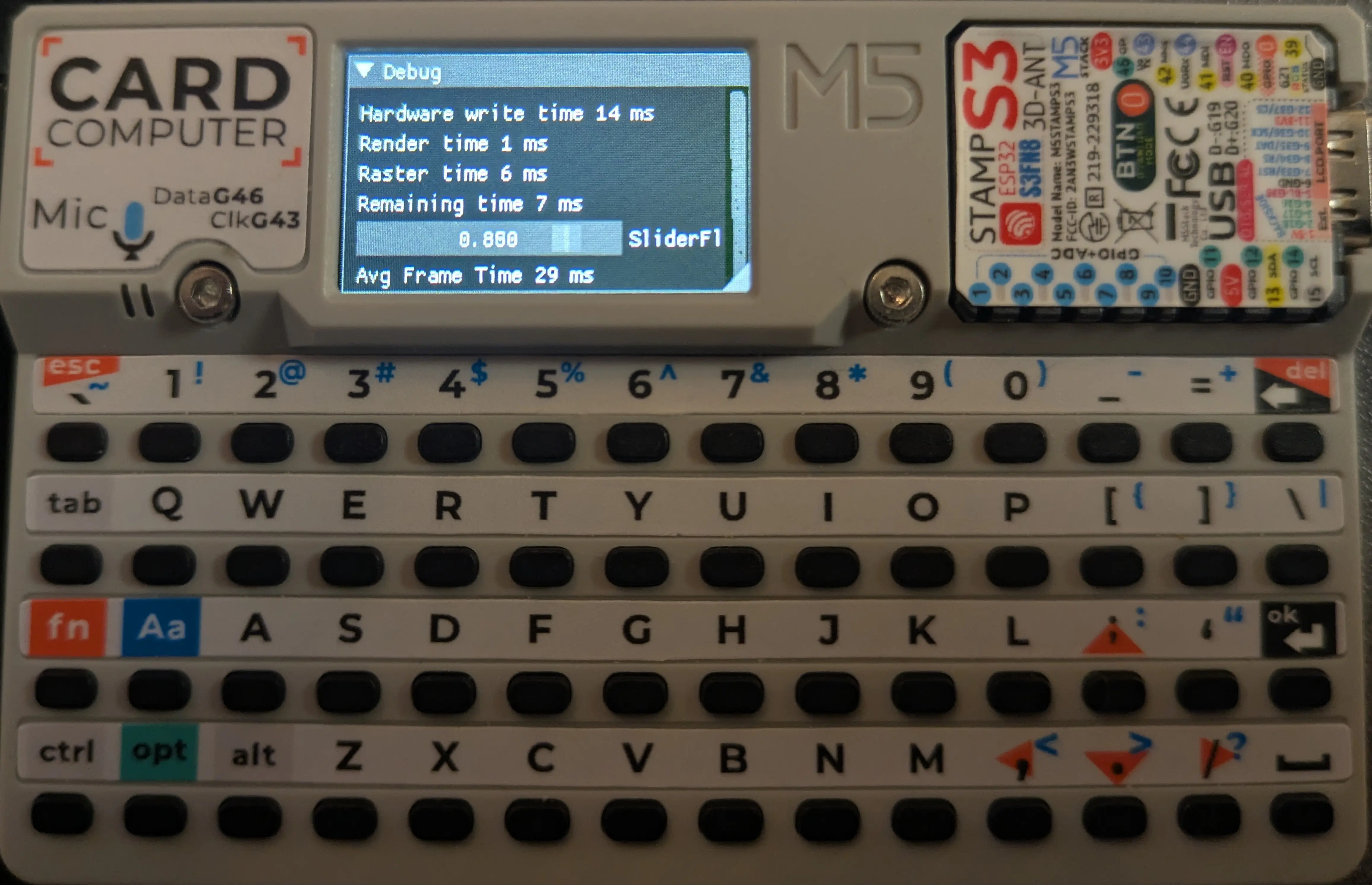
Grayscale on the Cardputer
I’ll settle for grayscale for now.
texture_value_t screen;

void screen_draw()
{
M5.Display.pushGrayscaleImage(0, 0, M5.Display.width(), M5.Display.height(), (uint8_t*)screen.pixels, lgfx::grayscale_8bit, TFT_WHITE, TFT_BLACK);
}
Changing to that pushGrayscaleImage is important, if you don’t, things get… weird.
Getting Color
The grayscale works, but I’d much rather have 256 colors than 256 shades of gray and 8 bits are 8 bits either way.
Implementing an 8bit RGB332 color struct wasn’t awful, the structure and logic is the ImDuino’s Color16_t, but with different bit positions.
These are the methods added to get conversions between RGB332, RGB565, and RGB888.
#define C8RMASK 0xE0
#define C8GMASK 0x1C
#define C8BMASK 0x03

#define C8R(C) ((C) & C8RMASK)
#define C8G(C) ((C) & C8GMASK)
#define C8B(C) ((C) & C8BMASK)

#define C16RMASK 0xF800
#define C16GMASK 0x07E0
#define C16BMASK 0x001F

#define C16R(C) ((C) & C16RMASK)
#define C16G(C) ((C) & C16GMASK)
#define C16B(C) ((C) & C16BMASK)

uint16_t color8_t::RGB16() const {
   return ((((C8R(rgb) >> 5) * 0x1F) / 0x7) << 0xB) |
          ((((C8G(rgb) >> 2) * 0x3F) / 0x7) << 0x5) |
          ((C8B(rgb) * 0x1F) / 0x3);
}

uint32_t color8_t::RGBA32() const {
   return (R() << 24) | (G() << 16) | (B() << 8) | 0xFF;
}

uint8_t color16_t::RGB8() const {
   return ((((C16R(rgb) >> 0xB) * 0x7) / 0x1F) << 5) |
          ((((C16G(rgb) >> 0x5) * 0x7) / 0x1F) << 2) |
          (((C16B(rgb)) * 0x3)/0x1F);
}

uint8_t color32_t::RGB8() const {
   return (((r * 0x7)/0xFF) << 5) |
          (((g * 0x7)/0xFF) << 2) |
          ((b * 0x3)/0xFF);
}
The harder part was all the operators.
ImDuino supports alphablending during rasterization, so there are color addition (+), multiplication (*) and blending (%) operators; these are not present in LGFX.
There are lot of operators, since every color can be combined with any other color, and some with numeric values as well. I stumbled through some of these for a while, but eventually got there. Here’s a few samples:
color8_t operator+(color8_t lhs, const color8_t &rhs) {
   lhs.rgb = C8R(C8R(lhs.rgb) + C8R(rhs.rgb)) |
             C8G(C8G(lhs.rgb) + C8G(rhs.rgb)) |
             C8B(C8B(lhs.rgb) + C8B(rhs.rgb));
   return lh;
}

color8_t operator*(color8_t lhs, const float rhs){
   lhs.rgb =  C8R(static_cast<uint8_t>(C8R(lhs.rgb) * rhs)) |
              C8G(static_cast<uint8_t>(C8G(lhs.rgb) * rhs)) |
              C8B(static_cast<uint8_t>(C8B(lhs.rgb) * rhs));
   return lhs;
}

color32_t operator*(const color8_t &lhs, const alpha8_t &rhs){
   color32_t ret(lhs.R(), lhs.G(), lhs.B(), 0xFFu);
   ret.a = rhs.a;
   return ret;
}

color8_t operator*( color8_t lhs, const color8_t  &rhs){
   lhs.rgb = C8R((C8R(lhs.rgb) * (C8R(rhs.rgb) >> 0x5)) / 0x7U) |
             C8G((C8G(lhs.rgb) * (C8G(rhs.rgb) >> 0x2)) / 0x7U) |
             C8B((C8B(lhs.rgb) * (C8B(rhs.rgb) >> 0x0)) / 0x3U);
   return lhs;
}

color32_t operator%(const color8_t &lhs, color32_t rhs){
   if (rhs.a == 0xFFU){
      return rhs;
   }
   else if (rhs.a == 0x00U){
      return {lhs.R(), lhs.G(), lhs.B(), 0xFFU};
   }
   else {
      rhs.r = (((0xFFU - rhs.a) * lhs.R()) / 0xFFU) + ((rhs.r * rhs.a) / 0xFFU);
      rhs.g = (((0xFFU - rhs.a) * lhs.G()) / 0xFFU) + ((rhs.g * rhs.a) / 0xFFU);
      rhs.b = (((0xFFU - rhs.a) * lhs.B()) / 0xFFU) + ((rhs.b * rhs.a) / 0xFFU);
   }
   return rhs;
}
There are probably a few details here that would matter for true correctness, but I don’t care too much about. Both the addition or multiplication can overflow a color and loop back to a lower value; they both should probably just cap off at the maximum. But LAK123 didn’t worry about it, for now at least, neither will I.
While there are quite a lot of operators, since every combination of colors should be covered, there are quite a few that are meaningless, or duplicate. For example, if the right-hand side (foreground) of a blend (%) doesn’t have an alpha channel, the result will always be the foreground color. I think some templating could clean this file up some in the future.
There also needs to be texture support for 8-bit color, but this boiled down to adding a typedef and an enum.
enum class texture_type_t { NONE = 0, ALPHA8, VALUE8, COLOR8, COLOR16, COLOR24, COLOR32 };
template<> INLINE_CONSTEXPR texture_type_t TextureType<color8_t>() { return texture_type_t::COLOR8; }
using texture_color8_t = texture_t<color8_t>;
Then the softraster will check a field type in texture_t to see which texture it’s dealing with and cast appropriately. This example from void ImGui_ImplSoftraster_RenderDrawData(ImDrawData* draw_data):
void ImGui_ImplSoftraster_RenderDrawData(ImDrawData* draw_data){
…
   switch (Screen->type)
   {
…
   case texture_type_t::COLOR8:
      renderDrawLists(draw_data, *reinterpret_cast<const texture_color8_t*>(Screen));
      break;
…
   }
…
}
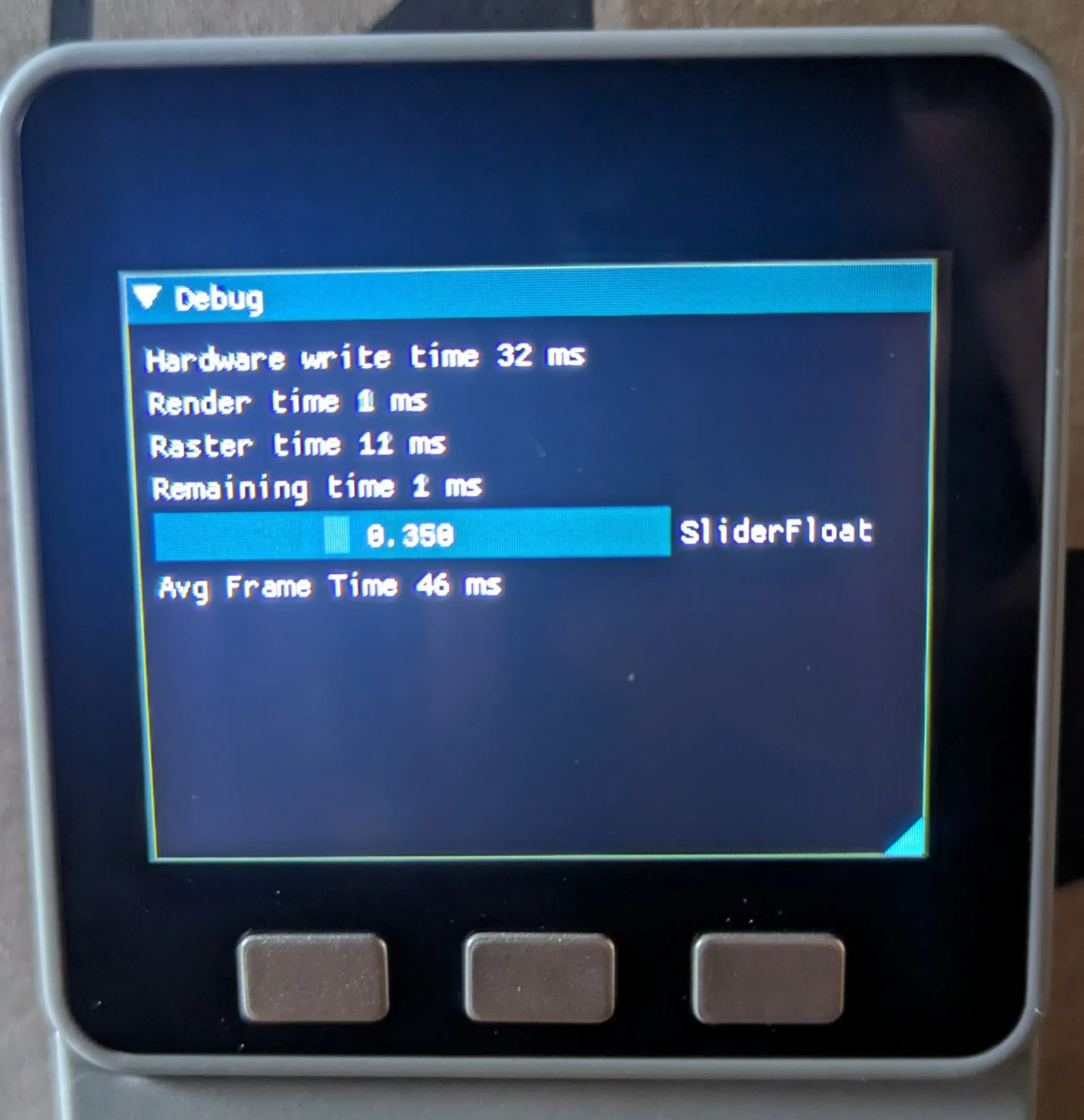
8-bit Color Imgui on the M5Core
With that it worked, I mean, we’ll leave out the times the font characters were being rendered as white rectangles, and the times the color channels got swapped around, but mostly is was fairly smooth.
Improvements
In the interest of better framerates, and a general duty to leave things better than you found them, I think we can tweak things in the softraster.
There are three main categories I considered here.
- Program size
- RAM usage
- Framerate
After adding 8-bit color, the program was 812kB, the free heap was 126kB (33%), and the frametime was 47ms (32ms draw, 13ms raster).
Alphablending
There were some oddities in the softraster involving alphablending.
template<typename POS, typename SCREEN>
void renderCommand(texture_t<SCREEN>    &screen,
                   const texture_base_t *texture,
                   const ImDrawVert     *vtx_buffer,
                   const ImDrawIdx      *idx_buffer,
                   const ImDrawCmd      &pcmd){
…
    rectangle_t<POS, SCREEN> quad;
    quad.p1.c = color32_t(
        verts[0]->col >> IM_COL32_R_SHIFT,
        verts[0]->col >> IM_COL32_G_SHIFT,
        verts[0]->col >> IM_COL32_B_SHIFT,
        verts[0]->col >> IM_COL32_A_SHIFT
    );
…
}
SCREEN originate in the ImGui_ImplSoftraster_RenderDrawData method we saw earlier and gets passed through the entire rasterer. Unless you’re using an RGBA framebuffer, ImGui’s alpha value will get dropped on the assignment to quad.p1.c, this means all the alphablending operators called later will be unnecessary. (Elsewhere in renderCommand there is a commented-out triangle_t<POS, color32_t>, which implies she knew and did this on purpose, for reasons we’ll get to.) Things get even odder, as further into renderCommand lies this:
   const bool alphaBlend = true;
   renderQuad(screen, texture, clip, quad, alphaBlend);
quad is the same variable we we looking at a moment ago, screen is our framebuffer, texture is a texture to be rendered onto the framebuffer, and clip is where on the framebuffer to put it.
renderQuad will then switch on alphaBlend to determine how to mix/replace colors, this is the simplest version with no texture:
   if (alphaBlend) {
      for (POS y = ry.min; y < ry.max; ++y) {
         for (POS x = rx.min; x < rx.max; ++x) {
            screen.at(x, y) %= quad.p1.c;
         }
      }
   }
   else {
      for (POS y = ry.min; y < ry.max; ++y) {
         for (POS x = rx.min; x < rx.max; ++x) {
            screen.at(x, y) = quad.p1.c;
         }
      }
   }
This same pattern is also repeated if a texture was supplied, and with the renderTri methods as well.
I ignored that ImGui’s alpha channel was always dropped, and attempted to reduce unneeded calls to color operators.
Firstly, all the render methods loose the alphaBlend parameter in favor of checking the alpha channel of the provided color.
For example:
template<typename POS, typename SCREEN, typename TEXTURE, typename COLOR>
void renderQuadCore(texture_t<SCREEN>               &screen,
                    const texture_t<TEXTURE>        &tex,
                    const clip_t<POS>               &clip,
                    const rectangle_t<POS, COLOR>   &quad,
                    const bool                      alphaBlend){
…
}
becomes:
 1
 2template<typename POS, typename SCREEN, typename TEXTURE, typename COLOR>
 3void renderQuadCore(texture_t<SCREEN>               &screen,
 4                    const texture_t<TEXTURE>        &tex,
 5                    const clip_t<POS>               &clip,
 6                    const rectangle_t<POS, COLOR>   &quad){
 7…
 8   uint_fast8_t const alpha{ quad.p1.c.A() };
 9   if( alpha > 0) {
10      if (blit) {
11         const POS u = startu - rx.min;
12         const POS v = startv - ry.min;
13         for (POS y = ry.min; y < ry.max; ++y) {
14            for (POS x = rx.min; x < rx.max; ++x) {
15               auto const c{ quad.p1.c * tex.at(x + u, y + v) };
16               if(c.A() > 0) {
17                  if(c.A() == 0xFFu) {
18                     screen.at(x, y) = c;
19                  }
20                  else {
21                     screen.at(x, y) %= c;
22                  }
23               }
24            }
25         }
26      }
27      else {
28      …
29      }
30   }
31…
32}
This way we’re not performing the color multiplication (line 15) if foreground is completely transparent, and we’re skipping the color blending (line 21) if the multiplied forground is completely opaque.
This same refactoring was applied to all the render methods, and―the program was 786kB, and the frametime was 45ms (32ms draw, 11ms raster). That’s certainly better, but we should be able to do more.
Constexpr Colors
Since there’s nothing special about the contents of each of the color structs, they could all be constexpr. I didn’t really anticipate any runtime performance gains from this, but I knew going to use this library, I’d like to perform color operations at compile-time if possible.
I’m not going to provide code examples; I just stuck constexpr on everything in color.h. The results were as anticipated―the program size increased 96 bytes, wtih frametimes unchanged.
Using more of LGFX
I want to be able to use LGFX colors, sprites and drawing methods, but having the framebuffer passed into the softraster prevents that. Instead I modified the softraster to use callbacks rather than passing a reference to the framebuffer around.
Initially this involved creating a struct of function pointers to replace the frame buffer parameter, but I’d gotten the compile-time bug with all the constexpr-ing, and it became a struct of static methods passed as a template parameter.
struct SoftRasterCallbacks
{
   static void setPixel(int const& x, int const& y, const Color8_t& color);

   static Color8_t getPixel(itn const& x, int const& y);

   static int width();

   static int height();
};
During the function pointer stage the ImGui_ImplSoftraster_xxxx(...) methods ended up wrapped in an object, and I kept that.
template<typename Position_t, typename Color_t, typename CallBackImplementation>
class ImGui_ImplSoftraster{
public:
  void NewFrame(){
    ImGuiIO& io = ImGui::GetIO();
    io.DisplaySize.x = CallBackImplementation::width();
    io.DisplaySize.y = CallBackImplementation::height();}

  void RenderDrawData(ImDrawData* draw_data){
    renderDrawLists<CallBackImplementation, Position_t, Color_t>(draw_data);
  }
};
Previously Position_t (the type used for screen coordinates) and Color_t (the color used during rastering) were deduced from the framebuffer during the call to renderDrawLists.
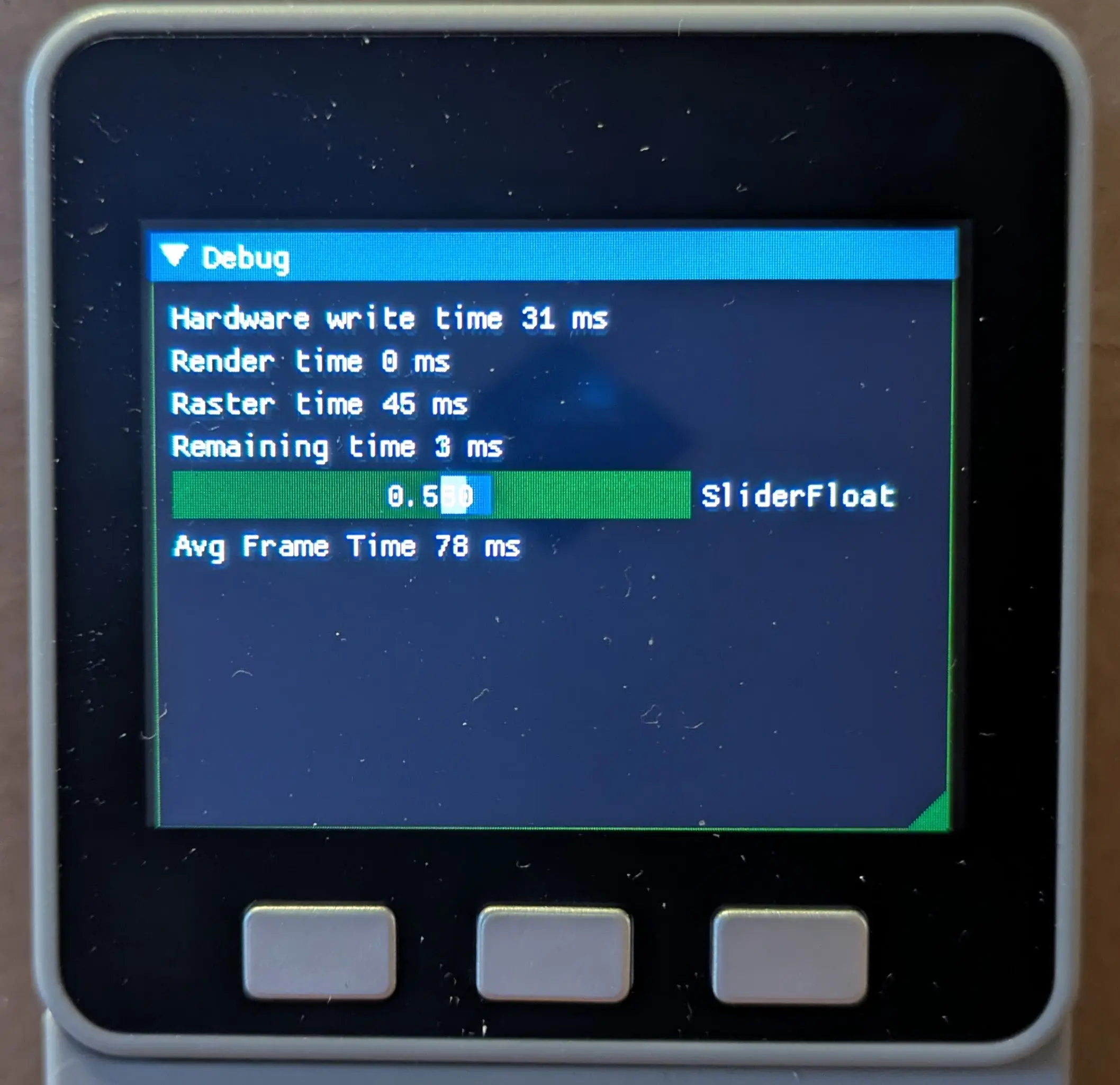
Transparency on the Cardputer
Now we separated some of our color types, so rastering can happen with a different color format from our framebuffer, which means the alphablending works. Specifying Color32_t for the raster color type caused both transparency in imgui’s widgets to work, and the framerate to halve. I see her reasons now, and will probably save that for aesthetic emergencies. I’m also not certain that the transparent colors are supposed to be quite so green, my blending math may be off somewhere.
To use different color types I did have to tweak the constructors for the color types, and ended up with some templates like this:
template<typename Value_t, typename std::enable_if<std::is_integral<Value_t>::value>::type* = nullptr>
constexpr color8_t::color8_t( Value_t const& value) : rgb(value) {}

template<typename COLOR, typename std::enable_if<!std::is_integral<COLOR>::value>::type* = nullptr>
constexpr color8_t::color8_t(const COLOR &rhs) : rgb(rhs.RGB8()) {}
The second could (should) use C++20 concepts, but the rest of the codebase is compatible with C++17, so I’d like to keep it that way.
One “final” change―I added a callback for (non-textured) rectangle drawing.
static void SoftRasterCallbacks::setRect(Position_t const& x,Position_t const&y, Position_t const& w, Position_t const& h, ColorRaster_t const& color)  {
   if(color.A() != 0xff) {
      screen.fillRectAlpha(x, y, w,  h, color.A(), color.RGB16());
   }
   else {
      screen.writeFillRectPreclipped(x, y, w, h, color.RGB16());
   }
}
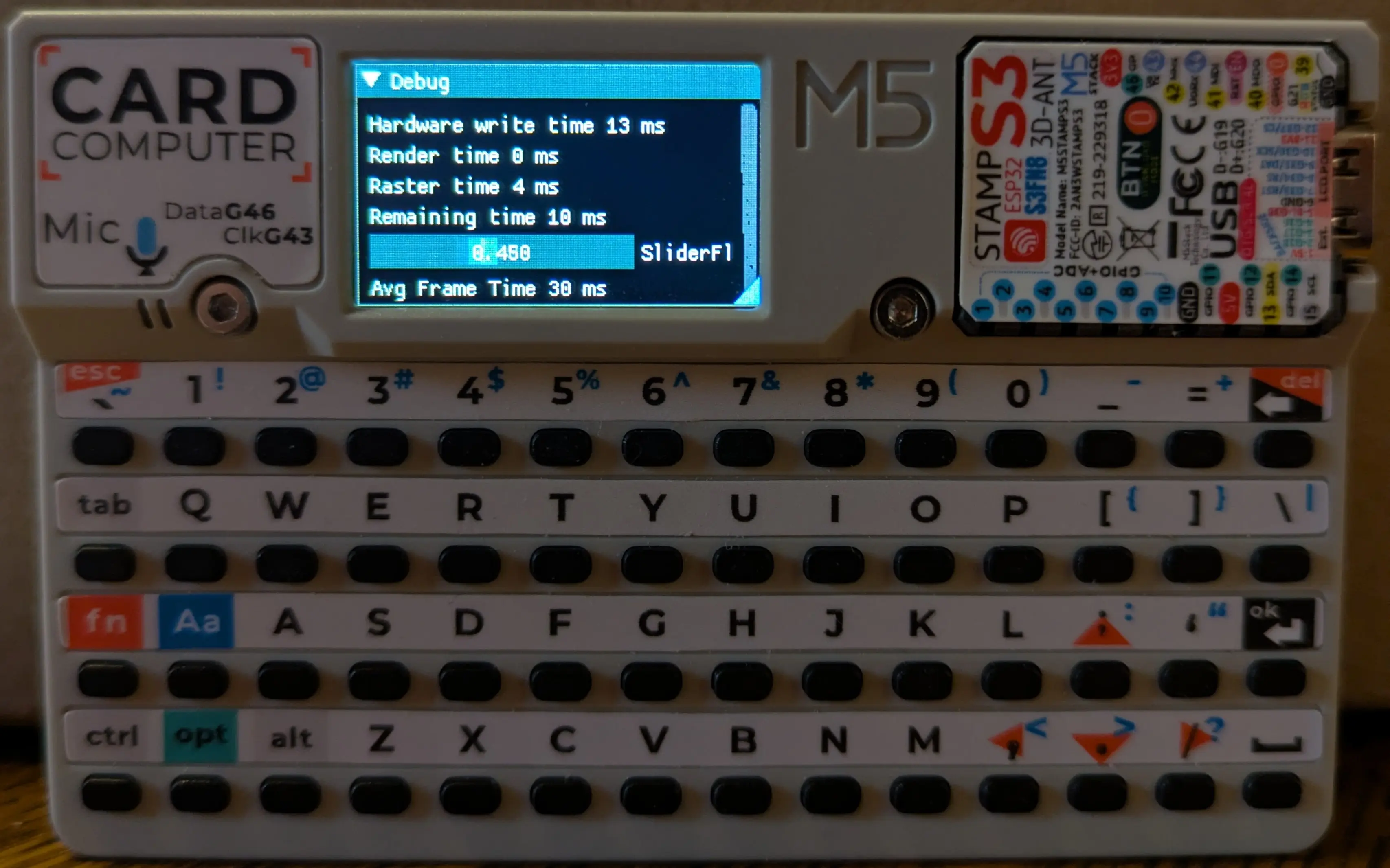
Final Result on the Cardputer
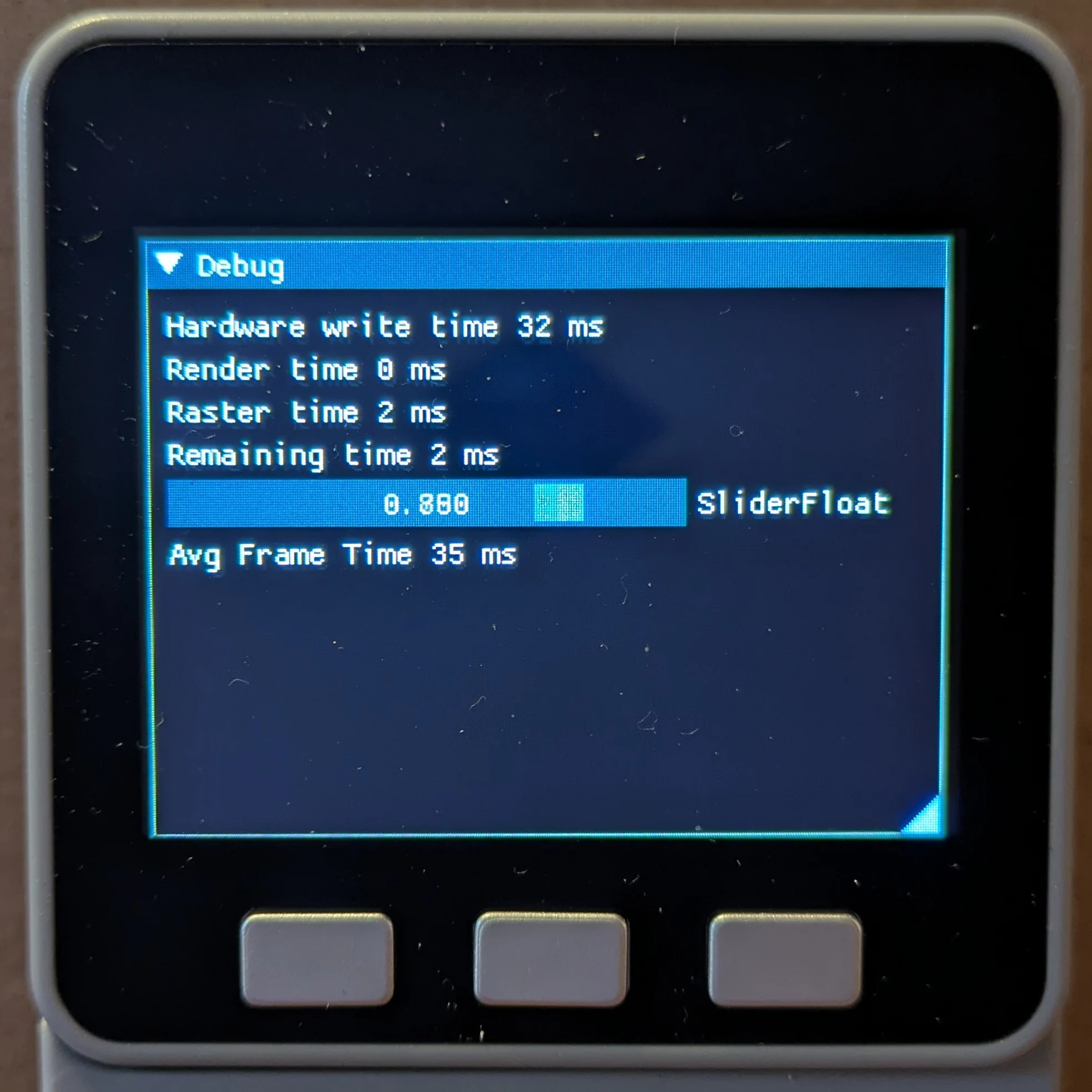
Final Result on the Core
I tested with a few more widgets. If the corners are rounded, noticable gaps starts to be seen between triangles―here appears to be some rounding errors in the triangle rasterization code. This was also been seen before in images that contain a scrollbar on the right, it seems to taper rather than have rounded ends.
If I set all rounding to 0, then everything looks alright. The performance of rectangles is also significantly better than triangles, rounding the edges more than doubled the frame time (13x the raster time!).
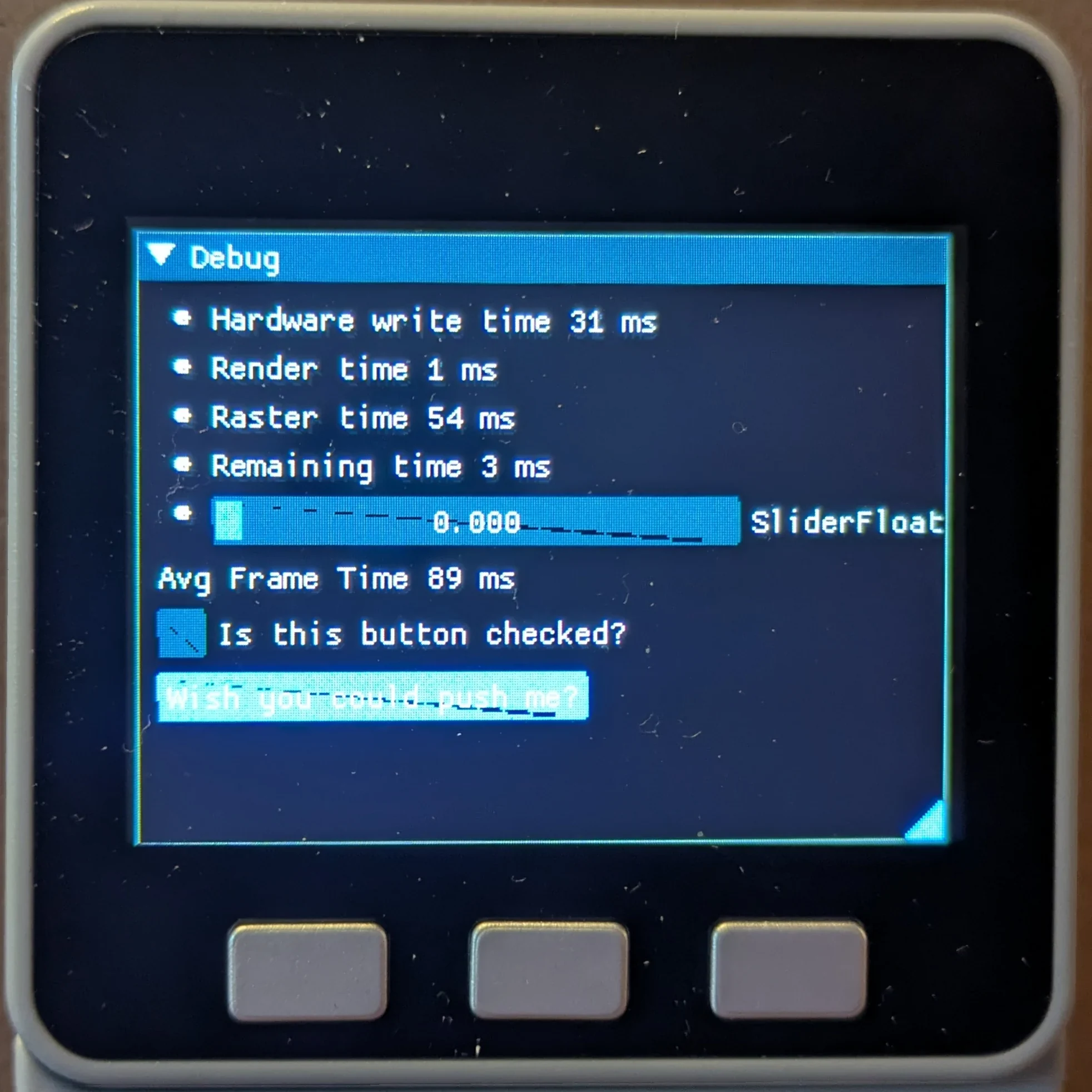
Additional widgets with rounded corners
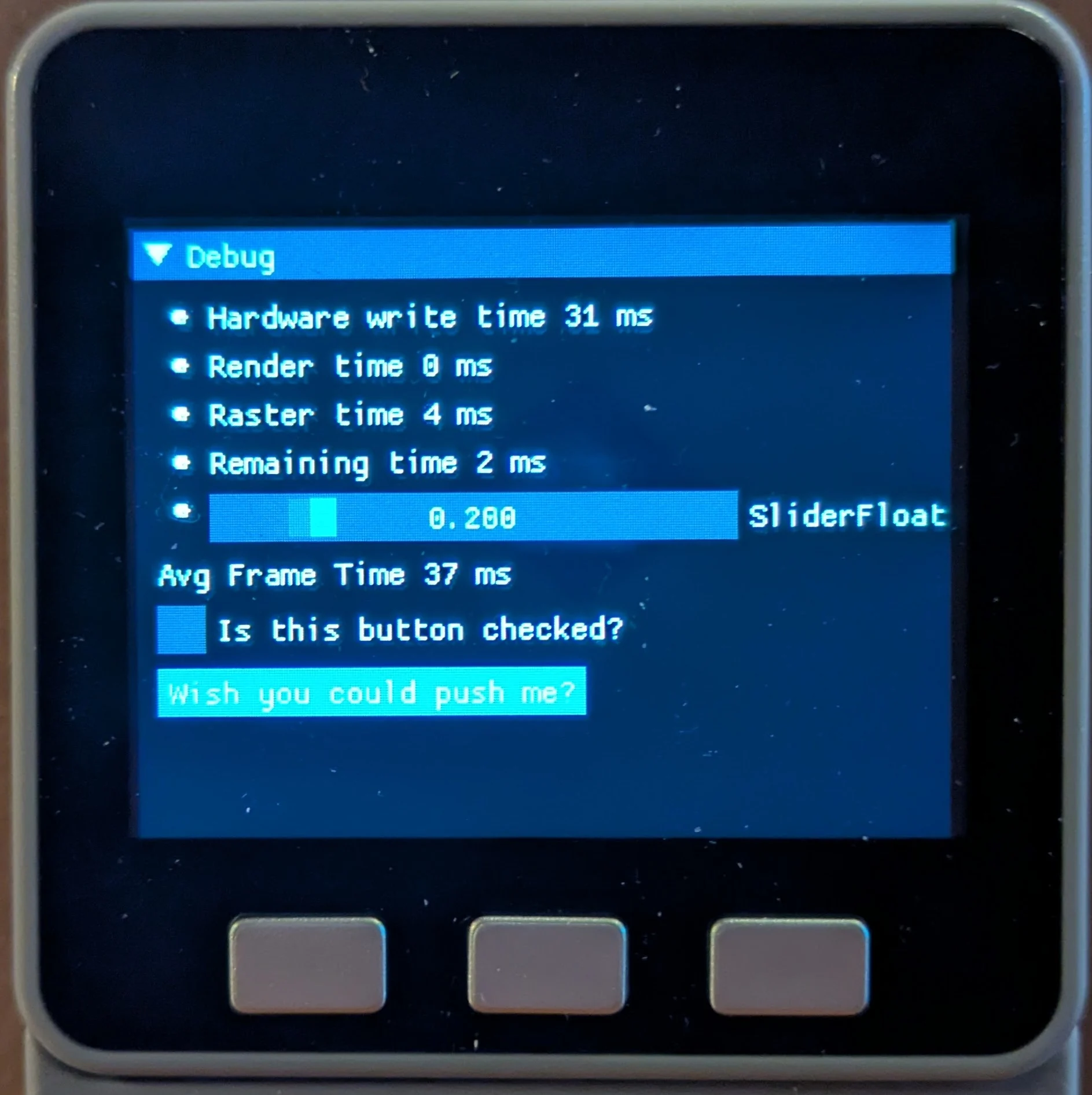
Additional widgets with no rounding
Conclusions
After all this, ImDuino now uses 731kB of program space, and has a frame time of 37ms (31ms draw, 3ms raster).
I wanted to do more, but decided that I should leave ImDuino mostly generic. It now resides in my fork on Github.
It’s worth noting that in the previous example of additional widgets, adding another button would result in heap allocation failures.
What I’d done so far is all well and good, but I want to make breaking changes. I want to remove as much redundancy as I can. I want to operate directly on an LGFX_Sprite using LGFX’s colors. I want to use the current version of DearImGui and see what happens.
That has been started, but will be disscussed in M5Stack ImGui Part 2.